Weather
Weather is a topic of universal interest, and displaying weather information on digital signage can increase engagement and relevance for viewers.
By showing current conditions or forecasts, you can provide useful, contextual information that complements other content on your screens.
The Weather datasource retrieves forecast data from two trusted providers:
- Swedish Meteorological and Hydrological Institute (SMHI)
- WeatherStack API
How it works
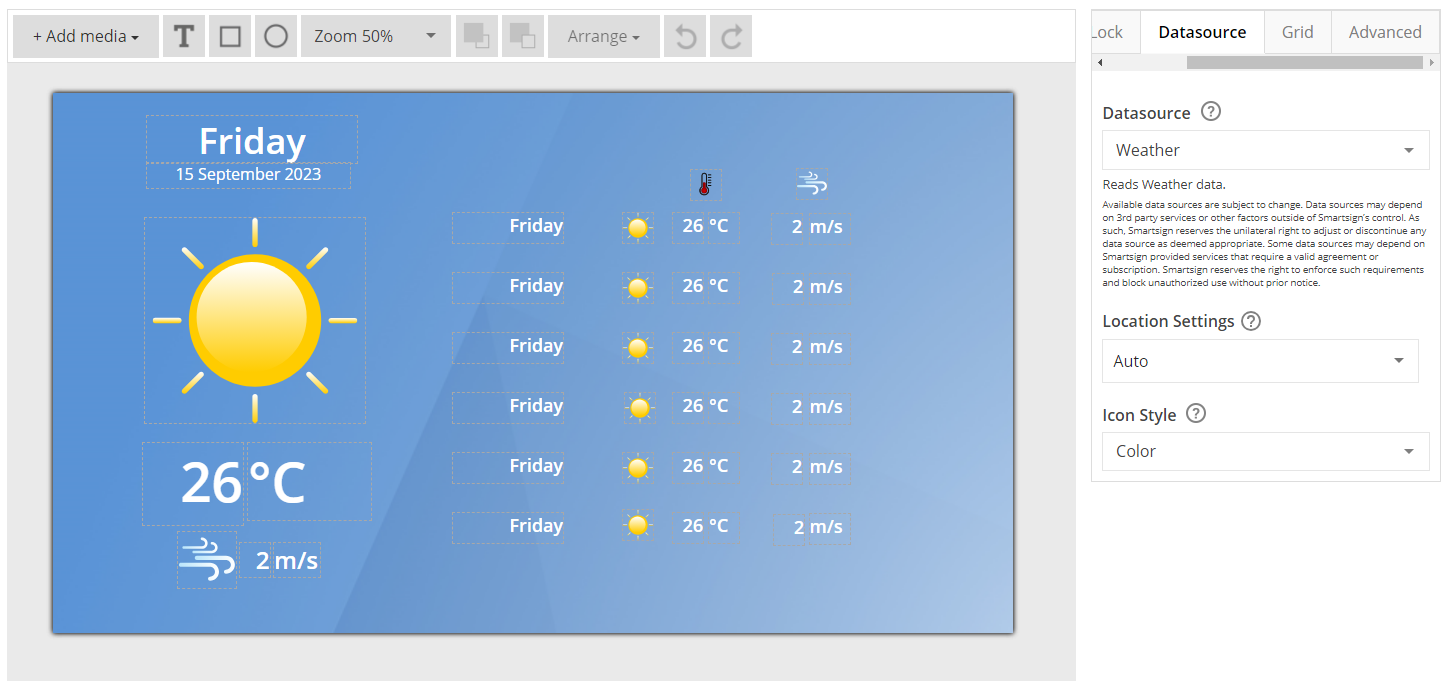
When added to a template, the Weather datasource retrieves weather data for a selected location and makes it available for display using weather-based templates or databound fields.
Weather information is updated automatically at regular intervals and can be displayed using icons, text, or a combination of both, depending on the template design.
Typical information available includes:
- Current weather conditions
- Temperature
- Weather icons
- Location-based forecasts
Create a weather template
Weather elements are included in some templates by default, but you can also create your own template if you need a custom design or layout.
In this example, we will create a simple template that displays weather information for a specific location.
- Go to Templates and select Create New
- Enter a name and description, then click Create
- Adjust the template settings such as size and background color as needed
Add weather elements
- Add text fields or image elements to display weather information
- Bind the elements to the Weather datasource
- Use icons, temperature values, and descriptive text to create a clear and readable layout
You can combine weather information with other elements such as date & time, headlines, channels or branding to create a complete screen layout.
Configuration
| Setting | Description | Example |
|---|---|---|
| Location | Select the target location for the weather forecast. Choose Auto to use the screen or player location (Geo IP or manually set), or Manual to define a fixed location. | 60.484619, 15.435288 |
| Icon Style | Select which icon set to use when displaying weather conditions. | Color |
- Use Auto location for screens deployed across multiple locations
- Use Manual location for fixed installations such as offices or reception areas
- Ensure sufficient contrast between weather icons/text and the background
- Combine Weather with Date & Time for a more contextual display
Limitations
- Not supported on legacy screens
- Not supported in snapshot mode